When cloud failure modes move to your laptop
Cloud-native teams are trained for ephemeral failures: a pod restarts, a request times out, Kubernetes reschedules the workload. Local AI coding agents invert that assumption. Tools like OpenAI Codex CLI run on the developer machine with permission to read, edit, and execute code. A bug in telemetry is no longer a line item in a cloud bill—it can physically wear out hardware.
In June 2026, GitHub Issue #28224 documented a logging defect: Codex continuously writes TRACE-level diagnostics into ~/.codex/logs_2.sqlite and its WAL/SHM companions. One practitioner reported roughly 37 TB of drive writes in 21 days of uptime—extrapolated to about 640 TB per year on affected setups. A typical 1 TB consumer SSD is often rated around 600 TBW (terabytes written) lifetime endurance, so an unmitigated loop can exhaust warranted endurance in under a year. Coverage from Developers Digest and Notebookcheck helped surface the issue beyond the issue tracker.
Root cause: TRACE by default, RUST_LOG ignored
The SQLite feedback sink ships with a global TRACE default, logging WebSocket payloads, filesystem noise, and OpenTelemetry chatter. Community analysis suggests roughly 71% of retained log bytes are TRACE noise with little end-user diagnostic value. Worse, the sink reportedly ignores RUST_LOG, the standard Rust verbosity knob—documented earlier in Issue #17320 with observed write rates around 5 MiB/s during streaming (peaks near 16 MiB/s). SQLite write amplification—insert/delete churn in the WAL—multiplies apparent file size into far higher physical writes.
This is not theoretical. It is the same class of risk as runaway disk fills from broken log rotation in production—except there is no SRE paging you when the agent runs overnight on a MacBook.
Immediate mitigations (until a upstream fix ships)
Symlink logs to RAM (macOS/Linux). The feedback database holds diagnostics, not conversation history:
rm ~/.codex/logs_2.sqlite*
ln -s /tmp/logs_2.sqlite ~/.codex/logs_2.sqlite
Block inserts with a SQLite trigger if you still want the CLI but zero disk growth:
sqlite3 ~/.codex/logs_2.sqlite \
  "CREATE TRIGGER IF NOT EXISTS block_log_inserts \
   BEFORE INSERT ON logs BEGIN SELECT RAISE(IGNORE); END;"
Monitor ~/.codex/ size and SSD SMART/TBW if Codex runs in long sessions. Reclaim space with VACUUM only after stopping the CLI.
Beyond logging: token loops and supply-chain trust
Local agents introduce second-order failures:
- Issue #27131 — Codex can ingest its own
~/.codex/sessions/*.jsonltranscripts during self-diagnosis, injecting megabyte tool outputs back into context and causing runaway token growth. - CVE-2025-61260 — Check Point showed Codex CLI could auto-execute commands from project configuration without explicit approval; fixed in Codex CLI 0.23.0+. Treat agent config files like CI secrets: review merges, pin versions, run in isolated runners.
Pair technical mitigations with process: cap log directories in .gitignore-style agent rules, exclude session paths from broad rg, and require human approval before config-driven shell execution—patterns we also recommend when auditing AI agent edits with Ponytrail.
Guardrails for teams shipping MVPs with local agents
If you deliver MVPs in days using Codex, Cursor, or Copilot agents, bake local infrastructure SLOs into the playbook:
- Disk budget — alert when
~/.codexor agent cache exceeds a threshold (e.g., 500 MB). - Log level contract — agents must respect env-based verbosity; fail CI if custom builds bypass it.
- Session hygiene — rotate or archive JSONL sessions; never let agents recursively search their own transcripts.
- Version pinning — track CLI semver; patch within 48h of security advisories.
- CI isolation — run agents on ephemeral VMs with tmpfs-backed log paths, not golden laptops.
Illustrative KPI targets (validate on your fleet): <2 GB/week agent log growth per seat, 0 unbounded WAL files older than 7 days, 100% of devs on patched CLI after CVE disclosure.
Why this matters for platform engineering
Local agents blur the line between application and host. A logging bug that would be a P1 in a managed service becomes silent hardware debt on every engineer desk. The Codex case is a reminder: agent adoption needs the same observability, quotas, and rollback stories we expect from LangGraph production workflows—just scoped to ~/ instead of a cluster.
Until OpenAI ships targeted INFO-level logging for core modules (community estimates suggest ~96% byte reduction vs global TRACE), treat the workarounds above as production requirements, not optional hacks. Your SSD—and your incident budget—will thank you.
Metrics snapshot
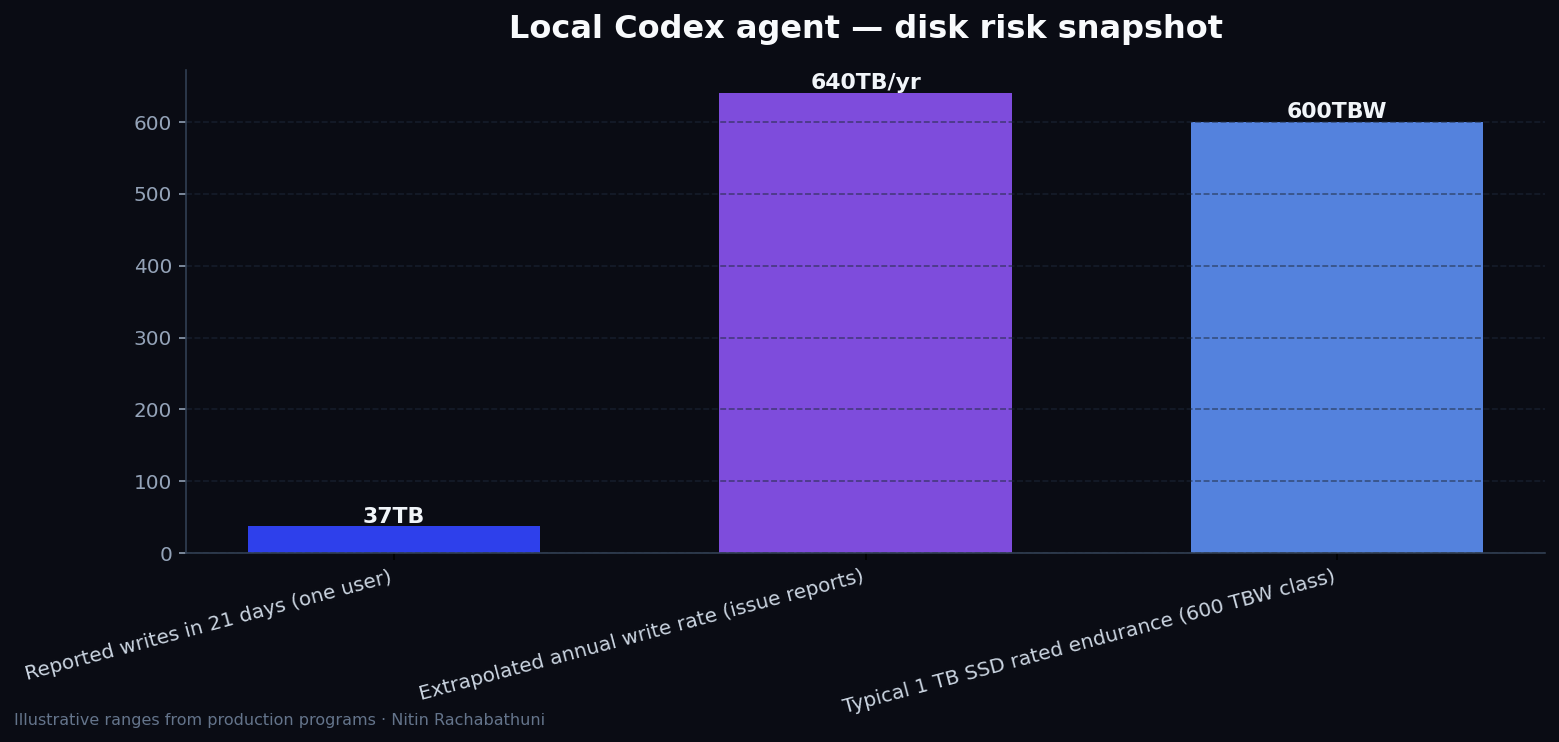
Illustrative local-agent infrastructure KPIs from early Codex logging incident reports—measure your own ~/.codex footprint and SSD TBW before setting fleet policies.
Architecture flow

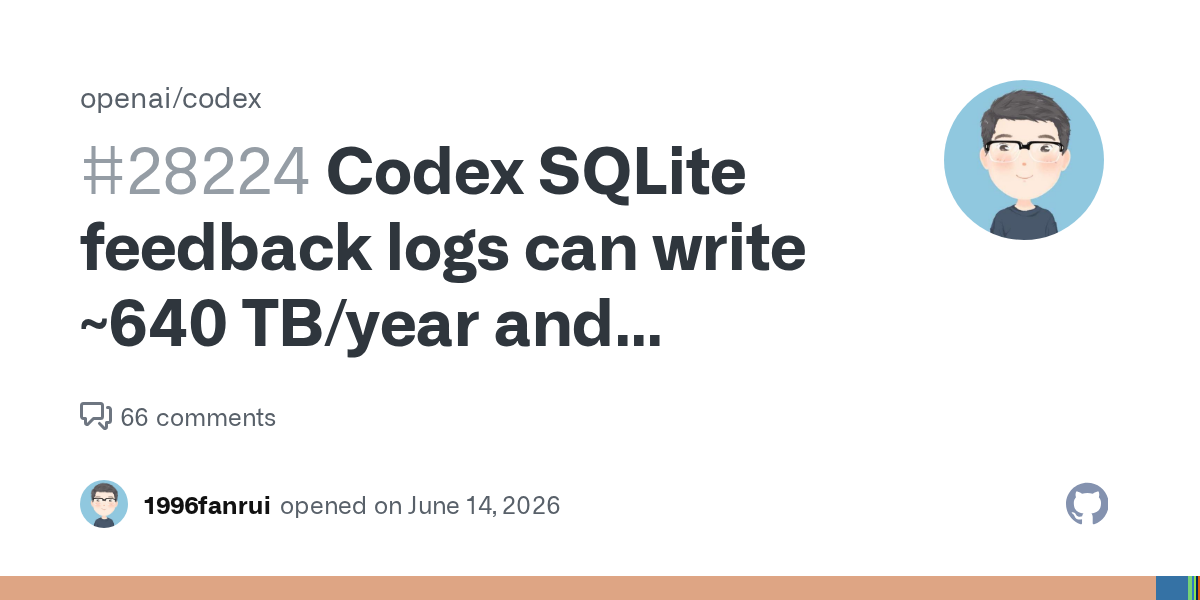
Source: GitHub opengraph
Approach comparison
| Approach | Signal | Risk | Best for |
|---|---|---|---|
| Default Codex SQLite TRACE sink | Rich diagnostics for debugging | Ignores RUST_LOG; heavy WAL churn; SSD wear | Short dev sessions only with monitoring |
| Symlink logs to tmpfs (/tmp) | Stops physical SSD writes; quick setup | Logs lost on reboot; RAM use if huge | Daily driver laptops until patch ships |
| SQLite INSERT trigger block | Zero disk growth while keeping CLI | No diagnostic history locally | CI runners and shared build agents |
| Ephemeral VM + pinned Codex 0.23.0+ | Isolates host; patches CVE-2025-61260 | Ops overhead vs local convenience | Production-adjacent agent workflows |
Code sketches
/* Redirect Codex feedback logs away from SSD */
# Stop Codex first, then:
rm ~/.codex/logs_2.sqlite*
ln -s /tmp/logs_2.sqlite ~/.codex/logs_2.sqlite

# Optional: block all inserts
sqlite3 ~/.codex/logs_2.sqlite \
  "CREATE TRIGGER IF NOT EXISTS block_log_inserts \
   BEFORE INSERT ON logs BEGIN SELECT RAISE(IGNORE); END;"
Official references
- GitHub Issue #28224 — SSD write rate
- GitHub Issue #17320 — RUST_LOG ignored
- OpenAI Codex repository
- Developers Digest analysis
Related on this site
- Auditing AI coding agent edits with Ponytrail
- Building AI agents with LangGraph
- Cursor AI-native development workflow
Article slug: codex-logging-bug-local-ai-agent-risks · Engineering notes by Nitin Rachabathuni — MVP in 2 days specialist.

Juiceit style straight through document processing
AI Agents

Shopify Acquires Tailwind CSS: The Strategic Shift from Independent Tooling to Core Infrastructure
leadership
Tailwind CSS Joins Shopify: A Masterclass in Strategic Infrastructure Pivot
tech
The Illusion of Quality: Why AI Agents Fail at Test Verification
tech
Beyond the Vector Database: Why Git-Native Memory is the Future for AI Coding Agents
leadership
Agentic Context Management: Solving the Memory vs. Cost Architecture Problem
tech