The Hidden Cost of the DELETE Command
In the world of database engineering, it is easy to fall into the trap of thinking that all deletions are created equal. From a high-level application logic perspective, DELETE FROM users WHERE last_login < '2023-01-01' looks like a simple cleanup task. However, when you move from "localhost with three records" to a production environment handling millions or billions of rows, the underlying mechanics of PostgreSQL change the narrative entirely.
The core issue lies in how PostgreSQL handles concurrency and data integrity through Multi-Version Concurrency Control (MVCC). When you execute a standard DELETE, Postgres doesn't actually erase the data from the disk immediately. Instead, it marks those rows as "dead tuples." These dead records remain on the physical storage until they are cleaned up by the VACUUM process.
For a small or medium-sized table, this is manageable. But for massive datasets, these dead tuples become a significant burden. Every subsequent index scan and sequential scan must navigate through these "ghost" entries to determine if they are visible to the current transaction. This creates "bloat," which degrades performance over time. If your strategy for data expiration relies on frequent, large-scale DELETE operations, you aren't just cleaning up your database; you are creating a massive amount of work for the background processes and subsequent queries.
Why DROP TABLE is the Only Scalable Delete
If you need to purge significant amounts of "junk" data—data that is no longer needed by the business or has exceeded its retention period—the most efficient way to do so is not through a delete statement, but through a structural change: DROP TABLE (or TRUNCATE).
The reason lies in the physical layer. When you drop a table or truncate it, PostgreSQL removes the files from the operating system's file system. It bypasses the MVCC overhead entirely because it doesn't need to mark individual rows as dead; it simply deletes the container holding those rows. This is an O(1) operation in terms of data volume—it takes roughly the same amount of time to drop a table with 10 million rows as it does for one with 10,000.
However, using DROP TABLE requires a different architectural approach. You cannot simply "drop" your main users table every night just because some are inactive. This is where system design comes into play. To achieve the scalability of a drop while maintaining the functionality of a delete, engineers often turn to Table Partitioning. By partitioning data by time (e.g., monthly or daily), you can keep "active" partitions and simply drop the "expired" partition. This gives you the best of both worlds: logical separation for your application and physical efficiency for your database engine.
Moving from Theory to Production Reality
Transitioning from a "it works on my machine" mindset to a production-grade architecture requires looking at metrics that actually matter to the end user. When designing systems that handle high-volume data, we must move beyond average latency and look at P99s. A slow DELETE operation might not affect your "average" user, but it will cause massive spikes in tail latency as vacuuming struggles to keep up with the or-tupleed bloat.
To build resilient systems, consider these three leadership principles in database design:
- Reproduce with Production Loads: Never assume a query that runs in 10ms on a small test set will perform well on a table with 500 million rows. The or-table overhead of
DELETEscales linearly (or worse) with the amount of "junk" left behind. - Measure Tail Latency: Focus on P95 and P99 metrics. If your cleanup scripts cause spikes in these numbers, they are impacting user experience, even if the "average" remains stable.
- Decouple Logic from Storage: Use strategies like partitioning or moving old data to cold storage (like S3) rather than trying to manage it within a primary transactional table using standard SQL deletes.
Designing for Growth: The Path Forward
Scaling a system isn't just about adding more hardware; it’s about choosing the right operations for the right scale. If your current architecture relies on heavy DELETE statements to prune data, you are essentially borrowing performance from the future to pay for today's convenience. Eventually, that debt comes due in the form of bloated indexes, slow vacuum cycles, and degraded query performance.
By shifting toward partition-based management or utilizing TRUNCATE/DROP logic where appropriate, you remove the burden from the MVCC engine and ensure your database remains performant as it grows. This is the difference between a system that "works" and a system that scales.
If you are looking to re-architect your data pipelines or need expert guidance on building scalable backend systems that can handle production-grade loads, reach out for MVP help to discuss how we can optimize your infrastructure.
FAQ
Why is a standard DELETE statement slow for large datasets? Standard deletes are slow because they don't immediately reclaim space; they mark rows as "dead" while leaving them in the table. This forces MVACC and index scans to process these dead tuples, creating significant overhead and bloat during high-volume operations.
When should I use DROP TABLE instead of DELETE?
Use DROP TABLE or TRUNCATE when you need to purge large amounts of data that are no longer needed by the application. These commands bypass MVCC complexity and remove files at the physical layer, making them significantly faster for bulk cleanup than individual row deletions.
How can I manage data expiration without dropping tables? If you must retain some data while removing others, use Table Partitioning. By partitioning your data (e.g., by month), you can drop an entire partition to remove old data instantly without impacting the performance of the active partitions.
Authoritative references
Consult Next.js documentation, MDN Web Docs, web.dev, Next.js documentation, OWASP Cheat Sheets alongside the official references block below. Cross-check guidance with your compliance, security, and SRE stakeholders before setting SLOs.
Metrics snapshot
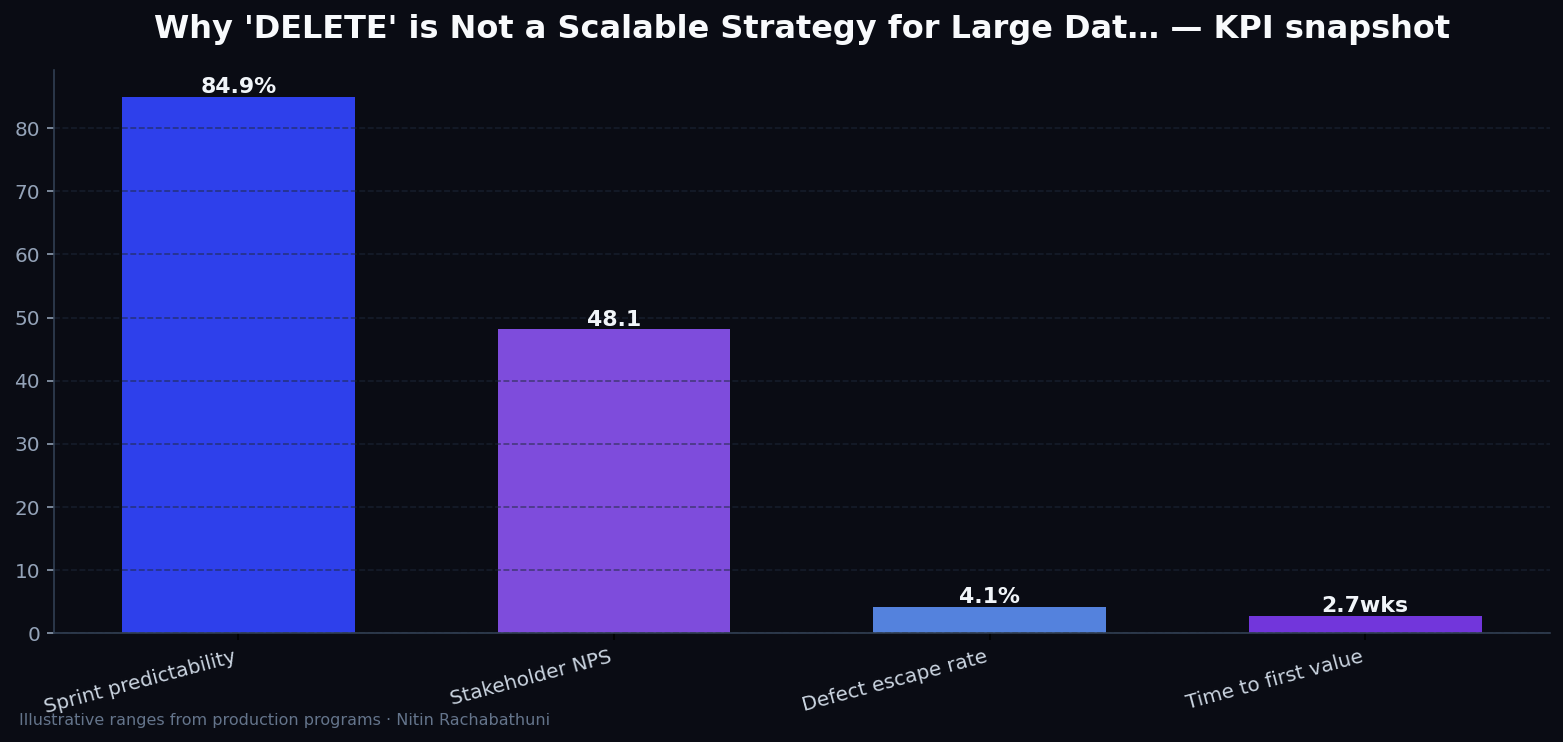
Illustrative consulting KPI ranges observed on programs like “Why 'DELETE' is Not a Scalable Strategy for Large Dat…” — validate against your own telemetry before setting SLOs. Methodology: production-like staging traces + weekly review with product and ops.
Architecture flow

Code sketches
/* Integration sketch */
// Why 'DELETE' is Not a Scalable Strategy for Large Dat…
export async function rolloutPostgresDeleteVsDropTableScalability() {
  const checks = ["telemetry", "auth", "rollback"];
  return { ok: true, checks };
}
Official references
Related on this site
Article slug: postgres-delete-vs-drop-table-scalability · Engineering notes by Nitin Rachabathuni — MVP in 2 days specialist.