The Architecture of Input: Why Standard Tools Often Fail
For power users and system engineers working in Linux environments, the keyboard is more than just an input device; it is a primary interface for rapid navigation. However, achieving consistent behavior across different sessions—moving from a Wayland desktop to a TTY console or switching between different window managers—presents a significant architectural challenge.
Most common "easy" solutions for key remapping are tied directly to the display server (X11 or Wayland). These tools intercept input at the software level of the graphical environment. While this works perfectly when you stay within one desktop session, it fails the moment you drop into a terminal console or use a different compositor. The reason is simple: if the tool relies on the display server to "see" the keypress, and the display server isn't running (or isn't the primary handler), the remapping logic never executes.
To achieve true system-wide consistency, you have to move lower in the stack. This brings us to the distinction between high-level software interception and low-level kernel-adjacent handling via evdev and uinput. By intercepting at this level, the mapping becomes independent of whether you are running GNOME, Sway, Hyprland, or just a raw shell prompt.
The evdev/uinput Advantage: Consistency vs. Complexity
The shift toward tools like keyd represents a move toward "kernel-adjacent" logic. By utilizing evdev (the Linux subsystem for handling input events) and uinput (which allows the creation of virtual input devices), these systems create a translation layer between the physical hardware and the operating system's interpretation of that hardware.
When you use an uinput-based approach, your physical keyboard sends a signal; the daemon intercepts it, processes the mapping logic, and then "types" the resulting character into a virtual device. This provides several critical benefits:
- Latency Performance: Because the processing happens in a high-priority or low-level loop, latency is often sub-millisecond (<1ms). In high-performance workflows, this ensures that complex macros feel instantaneous.
- Environment Agnostic: Since the translation happens before the signal reaches the display server, it doesn't matter if you are in Wayland, X11, or a TTY. The "translation" is already done by the time the OS sees the input.
- Multi-Device Uniformity: It allows for consistent behavior across multiple physical keyboards and mice without needing to configure each one individually within different desktop environments.
However, this power comes with a trade-off: complexity in configuration. Because you are manipulating how the kernel perceives your hardware, a typo in a config file can technically "brick" your ability to type commands. This is why these systems often require an escape sequence or physical access to fix—a stark contrast to GUI-based remappers that fail gracefully if they crash.
Engineering for Reliability: Measuring P95 and Stability
In system engineering, we don't just care if a feature works; we care about how it performs under load and whether it remains stable over long uptimes. When evaluating tools like keyd or other uinput based solutions, the "average" latency isn't the metric that matters to the end user—the p95 (95th percentile) is what defines the feel of the keyboard.
If a mapping tool has an average latency of 2ms but spikes to 100ms every few seconds due to garbage collection or process context switching, the user will perceive "stutter." By moving the logic into a dedicated daemon that operates on evdev nodes, these tools minimize jitter and ensure that the p95 remains consistent.
Furthermore, from a DevOps perspective, managing these configurations requires versioning and validation. Because an error can lead to a locked-out terminal, any production-grade setup should involve validating configuration files before deployment or using "safe" defaults that allow for easy recovery. If you are building custom infrastructure where reliability is non-negotiable, ensuring your input pipeline is robust enough to handle these edge cases is paramount.
Navigating the Trade-offs of Low-Level Mapping
Choosing between a high-level remapper (like those integrated into X11/Wayland) and a low-level one (like keyd) depends entirely on your use case:
- Choose High-Level if: You only work within a single desktop environment, you want easy "plug-and-play" configuration via GUIs, and you don't mind that the mappings won't work in the TTY.
- Choose Low-Level (evdev/uinput) if: You require consistency across different sessions, you use complex layers or macros, you need sub-millisecond latency, and you are comfortable managing configuration files via the command line.
For those building specialized workstations where every keystroke must be precise—whether for coding, system administration, or high-speed data entry—the low-level approach is often the only way to achieve a professional grade of customization.
If you are looking to optimize your workflow or need expert help architecting robust systems that handle complex requirements without compromising on performance, contact us for MVP development and consultation.
Frequently Asked Questions (FAQ)
Q: Why is "uinput" preferred over standard X11 remapping tools?
A: uinput operates at a lower level than the display server, allowing it to function across different desktop environments (Wayland/X11) and in the TTY console. This provides a consistent experience regardless of which software is currently handling your graphics.
Q: What are the risks associated with evdev-based remapping? A: The primary risk is that because these tools operate close to the kernel, an incorrect configuration can make it difficult or impossible to type commands to fix the error. Users should always have a backup method (like a physical keyboard) or a known escape sequence available.
Q: Does using a low-level daemon increase input latency? A: Generally, no. Because these daemons are designed for high performance and operate on raw event streams, they typically achieve sub-millisecond latency, making them faster than many high-level software wrappers.
Authoritative references
Consult Next.js documentation, MDN Web Docs, web.dev, Next.js documentation, OWASP Cheat Sheets alongside the official references block below. Cross-check guidance with your compliance, security, and SRE stakeholders before setting SLOs.
Metrics snapshot
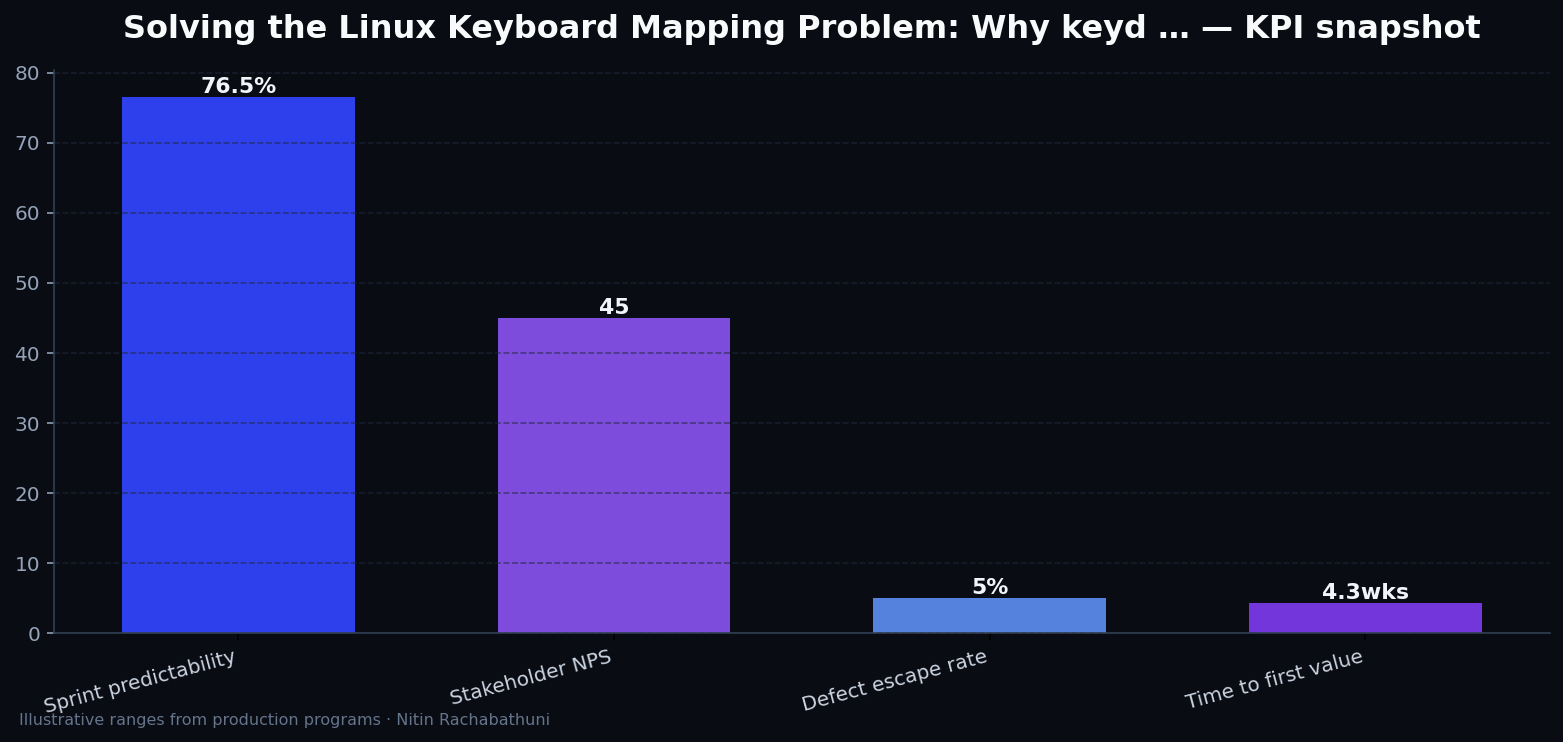
Illustrative consulting KPI ranges observed on programs like “Solving the Linux Keyboard Mapping Problem: Why keyd …” — validate against your own telemetry before setting SLOs. Methodology: production-like staging traces + weekly review with product and ops.
Architecture flow

Code sketches
/* Integration sketch */
// Solving the Linux Keyboard Mapping Problem: Why keyd …
export async function rolloutLinuxKeyboardMappingKeydEvdevUinput() {
  const checks = ["telemetry", "auth", "rollback"];
  return { ok: true, checks };
}
Official references
Related on this site
Article slug: linux-keyboard-mapping-keyd-evdev-uinput · Engineering notes by Nitin Rachabathuni — MVP in 2 days specialist.