The Rise of the Walled Garden: Analyzing the Google Workspace Shift
In the world of enterprise software, we often talk about "seamless integration." However, there is a fine line between seamless integration and forced ecosystem lock-in. Recent reports indicate that users on Google Workspace Business Plus accounts are receiving warnings regarding potential restrictions on Firefox access in favor of Chrome.
While functionality remains intact for the moment, this move signals a strategic shift toward browser exclusivity. For engineering leaders and product managers, this isn't just a minor technical hiccup; it is a fundamental change in how we view cross-browser compatibility. When a primary productivity suite begins to prioritize one engine over another, it creates a "walled garden" effect that can stifle developer autonomy and complicate internal workflows.
From an engineering management perspective, the risk here isn't just about whether a button works on Firefox today; it’s about the long-term cost of maintaining parity in a landscape where the platform owner is actively nudging users toward a specific path. When we build products that rely on third-party ecosystems (like Google Workspace), we must account for these "soft" pressures as they harden into technical constraints over time.
The Engineering Cost of Cross-Browser Compatibility
When a major provider like Google begins to prioritize Chrome, the burden of maintenance shifts onto the developers. If your internal tools or customer-facing applications rely on specific integrations within Workspace, and those integrations are optimized exclusively for Chromium engines, your team faces two immediate challenges:
- Technical Debt Accumulation: To support users who refuse—or are unable—to switch to Chrome, engineers must spend cycles building "bridge" solutions or workarounds that aren't part of the core product roadmap.
- Fragmented User Experience: If a feature works perfectly in Chrome but is buggy or unavailable in Firefox, your customer success team will bear the brunt of the complaints. This creates friction and slows down the feedback loop for actual product improvements.
In an MVP-driven environment, we want to move fast. Every hour spent debugging why a specific script fails on a non-supported browser is an hour taken away from high-impact features. Leadership must recognize that "compatibility" isn't just a checkbox; it’s a resource allocation decision. If the platform moves toward exclusivity, your roadmap must reflect the reality of those constraints before they become emergencies.
Strategic Leadership: Navigating Ecosystem Constraints
When faced with these types of shifts—where a key partner or tool begins to narrow its scope—leadership needs a framework to make decisive calls. You cannot let the debate over "should we support Firefox?" go on indefinitely while your sprint velocity drops.
1. Name the Decision Owner Early. Before the technical debate becomes an endless loop in Slack channels, identify who has the final say. Is it the Head of Product? The Lead Architect? By naming a decision owner early, you ensure that when a "walled garden" constraint is identified, there is a clear path to a resolution rather than a stalemate.
2. Define Rollback Criteria. Before approving any integration with a service like Google Workspace, define what constitutes a failure. If Firefox access becomes 50% less functional than Chrome, do we pivot? Do we issue a warning to users? Having these criteria in writing before the launch prevents "panic-mode" decision-making when things inevitably get complicated.
3. Measure Customer Impact over Sprint Velocity. It is easy to prioritize what makes the developers' lives easier (e.g., only supporting Chrome). However, leadership must weigh this against the actual customer experience. If your user base relies on Firefox for privacy or legacy reasons, a "convenient" engineering choice can lead to a poor customer outcome.
Building for Longevity in an Evolving Web
The move toward browser exclusivity is a trend we see across many layers of the web stack. As platforms become more complex, they naturally gravitate toward environments where they have the most control. To navigate this as an engineering leader, you must build with "portability" and "abstraction" in mind.
By decoupling your core logic from specific browser implementations wherever possible, you create a buffer against these types of platform shifts. However, since we often work within the constraints of existing tools (like Workspace), the best defense is proactive planning. Identify the risks early, document them in your technical debt log, and communicate those trade-offs clearly to stakeholders.
If your team is struggling to balance rapid feature delivery with the complexities of modern web infrastructure or needs help navigating these "walled garden" hurdles during an MVP phase, reach out for expert guidance to streamline your engineering roadmap.
Summary Checklist for Engineering Leaders
- Audit Current Dependencies: Identify which parts of your workflow rely on Google Workspace and where those features might be "at risk" due to browser exclusivity.
- Quantify the Risk: Don't just say it’s a problem; quantify how many users are affected by non-Chrome browsers.
- Establish Clear Boundaries: Decide now what level of cross-browser parity is required for your MVP and where you can afford to let "good enough" be the standard.
By taking these steps, you move from being reactive—responding to headlines about Firefox access—to being proactive, ensuring that your product remains robust regardless of the shifting sands of the web ecosystem.
Authoritative references
Consult Next.js documentation, MDN Web Docs, web.dev, Next.js documentation, OWASP Cheat Sheets alongside the official references block below. Cross-check guidance with your compliance, security, and SRE stakeholders before setting SLOs.
Metrics snapshot
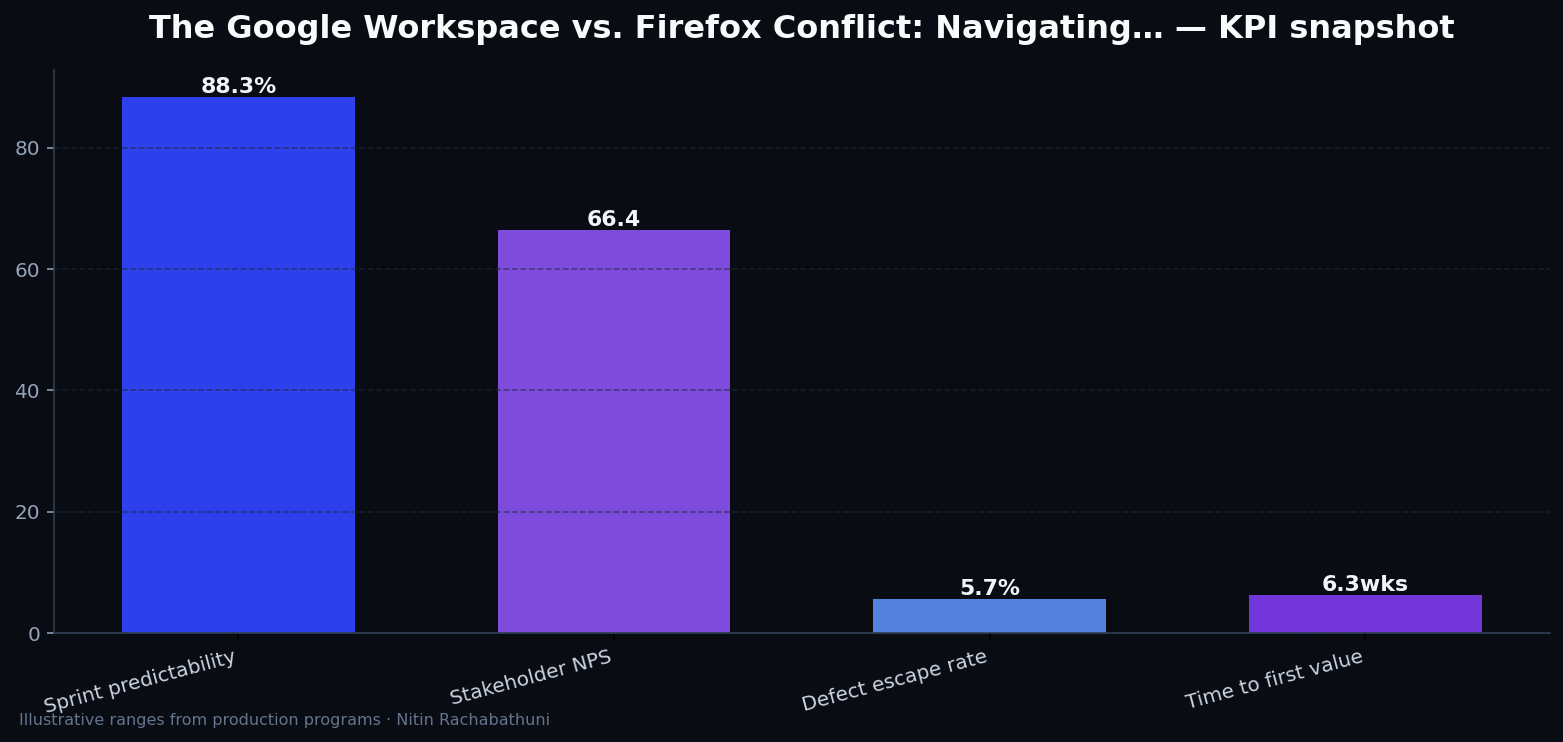
Illustrative consulting KPI ranges observed on programs like “The Google Workspace vs. Firefox Conflict: Navigating…” — validate against your own telemetry before setting SLOs. Methodology: production-like staging traces + weekly review with product and ops.
Architecture flow

Code sketches
/* Integration sketch */
// The Google Workspace vs. Firefox Conflict: Navigating…
export async function rolloutGoogleWorkspaceFirefoxAccessRisk() {
  const checks = ["telemetry", "auth", "rollback"];
  return { ok: true, checks };
}
Official references
Related on this site
Article slug: google-workspace-firefox-access-risk · Engineering notes by Nitin Rachabathuni — MVP in 2 days specialist.