Beyond .gitignore: Mastering the Three Levels of File Exclusion in Git
In the lifecycle of a software project, noise is the silent killer of developer productivity. Every time an engineer has to manually filter out .DS_Store files, local environment variables, or IDE-specific configuration folders from their status updates, it creates cognitive load.
Most engineers default to using a .gitignore file as the universal solution for this problem. While .gitignore is the standard tool for defining what should not be committed to a shared repository, relying on it exclusively can lead to "configuration pollution." When you use a project-level ignore file to manage personal preferences—like your specific editor's workspace settings—you are forcing those choices onto every other developer who clones that repo.
To build scalable systems and maintain clean workflows, we must distinguish between three distinct levels of exclusion: Repository-level, Local-project overrides, and Global configurations. Understanding these trade-offs is a hallmark of senior engineering leadership.
1. The Repository Level: Defining the Team Standard
The .gitignore file at the root of your project is the primary contract between the team and the repository. It defines what constitutes "source code" versus "artifacts." This level should be reserved for items that are irrelevant to the application's functionality but necessary for local development, such as build folders (/dist, /build), dependency directories (node_modules), and temporary cache files.
When you use a .gitignore file correctly, you ensure that every team member is working within the same boundaries. If a file belongs in this list, it means its presence (or absence) affects how the code builds or runs for everyone.
The Leadership Trade-off: Inclusion here must be deliberate. If you add a personal preference to .gitignore, you are making a decision on behalf of the entire team. Before adding an entry here, ask: "Does this file need to be ignored by every person who ever touches this codebase?" If the answer is no, it doesn't belong in the repository-level ignore.
2. The Local Project Override: .git/info/exclude
Sometimes, you have a specific reason to ignore a file that only applies to your local workspace within a specific project—but you don't want to force that rule on your teammates. A common example is a local configuration file that contains your personal API keys or a specific local path for a database connection.
Instead of polluting the shared .gitignore, Git provides a "hidden" layer: .git/info/exclude. Files listed here are ignored by your local Git instance but are never committed to the repository. This acts as a localized override. It is perfect for cases where you need to ignore something unique to your environment that still resides within the project folder, without affecting the shared configuration.
3. The Global Layer: Your Personal Workspace
The most overlooked tool in the Git arsenal is the global ignore file. Many developers find themselves constantly fighting with OS-generated files (like .DS_Store on macOS) or editor-specific metadata (like .vscode/ or .idea/). These files have nothing to do with the project's logic; they are artifacts of your personal environment.
By configuring a global ignore file, you can tell Git to ignore these files across every repository on your machine. You set this up via the core.excludesfile configuration:
git config --global core.excludesfile ~/.gitconfig/ignore
This is the cleanest way to manage "noise." It keeps your personal environment clean without polluting the shared team configuration. When you move from a web project to a mobile app, or from a private repo to an open-source one, your global rules stay with you.
Strategic Decision Making in Engineering
From a leadership perspective, choosing where to place these exclusions is about defining ownership and scope. When a developer asks, "Should we add this to .gitignore?", the leader's role is to define the criteria for the decision:
- Scope of Impact: Does this file impact the build process or deployment? If yes, it belongs in
.gitignore. - Individual Preference: Is this a tool-specific preference (e.g., an IDE plugin)? If yes, it belongs in your global config.
- Local Exception: Is this a local path that only exists on your machine but is specific to this project? Then use
.git/info/exclude.
By categorizing these needs correctly, you reduce the "noise" of technical debt and ensure that the shared repository remains a clean representation of the product's source code. This clarity allows teams to move faster because they aren't constantly troubleshooting why someone else’s local files are showing up in pull requests or why certain configurations are missing for others.
If you are looking to streamline your development workflows or need expert guidance on building high-performing engineering teams, contact Nitin Rachabathuni for MVP-focused consulting.
Summary Table of Exclusion Levels
| Level | Location | Scope | Best Use Case |
|---|---|---|---|
| Repository | .gitignore | Shared (All users) | Build artifacts, dependencies, logs. |
| Local Project | .git/info/exclude | Local to one machine in a specific project | Personal local paths or non-standard overrides. |
| Global | core.excludesfile | Global across all projects on your machine | OS files (.DS_Store), IDE settings, personal tool configs. |
Authoritative references
Consult Next.js documentation, MDN Web Docs, web.dev, Next.js documentation, OWASP Cheat Sheets alongside the official references block below. Cross-check guidance with your compliance, security, and SRE stakeholders before setting SLOs.
Metrics snapshot
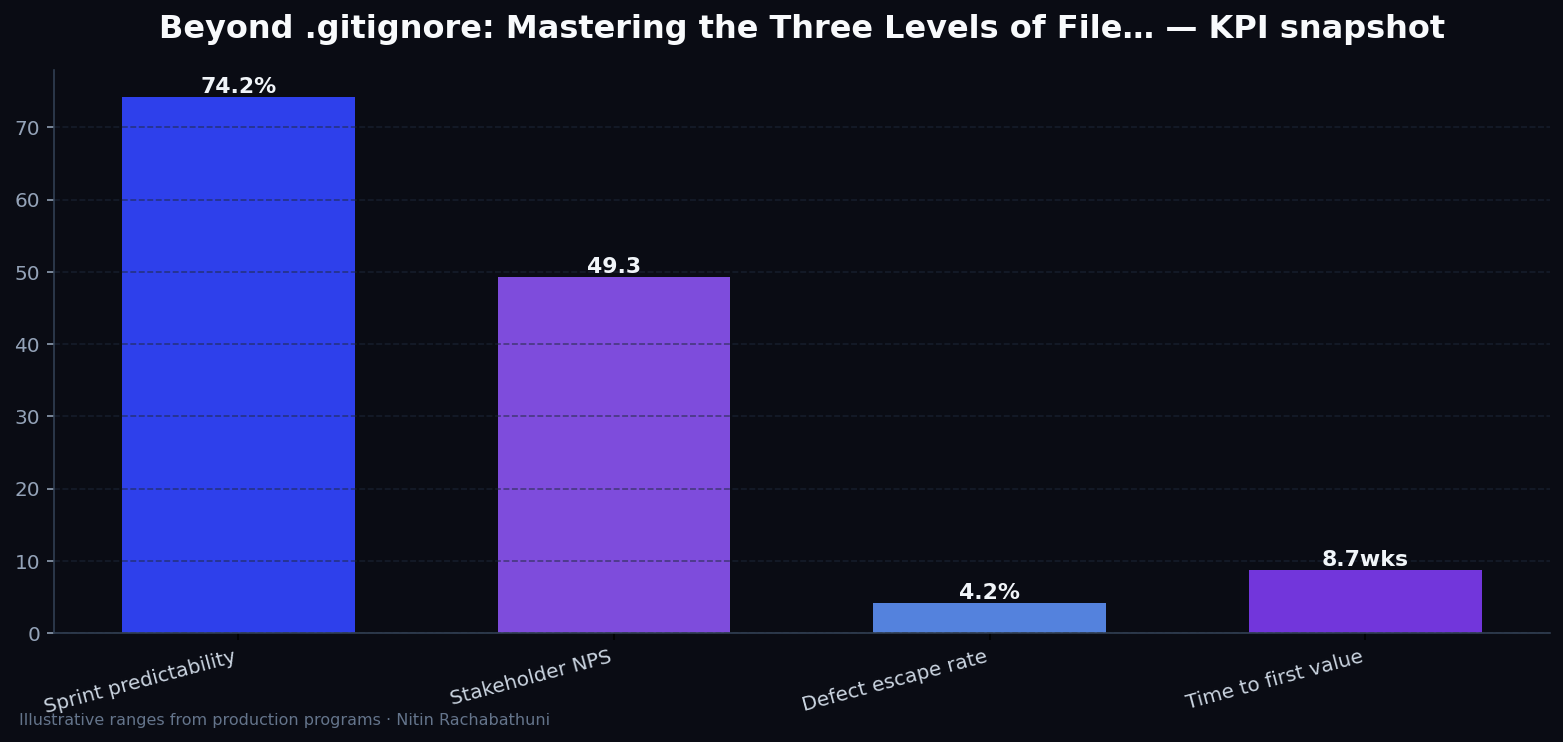
Illustrative consulting KPI ranges observed on programs like “Beyond .gitignore: Mastering the Three Levels of File…” — validate against your own telemetry before setting SLOs. Methodology: production-like staging traces + weekly review with product and ops.
Architecture flow

Code sketches
/* Integration sketch */
// Beyond .gitignore: Mastering the Three Levels of File…
export async function rolloutGitIgnoreStrategiesBeyondGitignore() {
  const checks = ["telemetry", "auth", "rollback"];
  return { ok: true, checks };
}
Official references
Related on this site
Article slug: git-ignore-strategies-beyond-gitignore · Engineering notes by Nitin Rachabathuni — MVP in 2 days specialist.